
It differs from other defrag tools on the market, by enabling you to quickly and simply defrag the files you want to, without having to process the whole drive. Simply run it, select the file and defragment in seconds. No more struggling with the Windows defragmentation tool!
(Text quoted from defraggler.com)
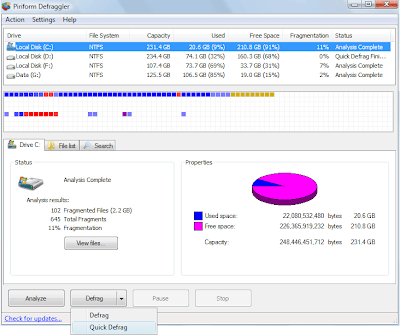 Must Try: Quick Defrag from Defraggler
1. Select your drive and click Analyze.
2. Click the drop down arrow from the Defrag button, select Quick Defrag.
3. You can now experience that your Windows is speeding up.
- Download Defraggler


